
Fitbit Third-Party Apps End: What Owners Should Do Now
Fitbit third-party apps and clock faces stop installing or updating on Sense and Versa watches on November 28. What keeps working, and what to do before then.
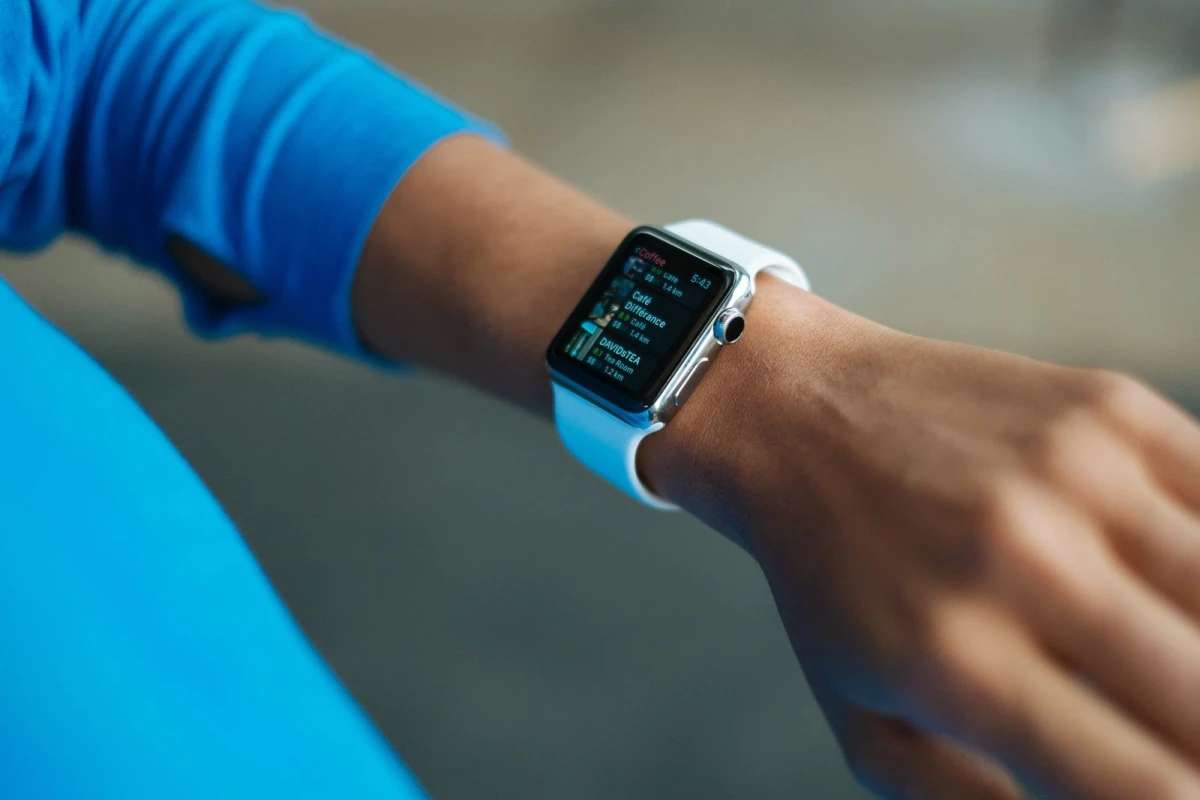
Table of contents
You glance at your Fitbit Versa 3 to check the bus timetable app you installed two years ago. It still works. But on November 28, the store that delivered it stops carrying software from anyone outside Fitbit and Google, and Fitbit third-party apps and clock faces can no longer be installed or updated on Sense and Versa watches.
Nothing disappears from your wrist that day. The risk is quieter. Delete an app by accident, or factory reset the watch to fix a glitch, and that app is gone for good. This guide covers which watches are affected, what you should do before the deadline, and how to decide whether your watch still earns its place on your wrist.
What Google Changed About Fitbit Third-Party Apps
Google posted the notice in its Google Health support community, and 9to5Google reported on November 9 that the Fitbit App Gallery will feature only apps and clock faces made by Fitbit and Google from November 28. After that date, owners cannot download new third-party content or update what they already have.
The developer side closes at the same time. According to 9to5Google, Google will stop accepting new uploads and updates from outside developers and retire the Gallery Admin tools. Before the deadline, developers can download their existing projects or ask for them to be pulled from the gallery.
Tech Advisor, reporting on November 11, read the same notice the same way: the apps on your watch stay, but bug fixes for them stop. So the gallery is being locked, not emptied.
Which watches are affected
The change covers Fitbit's smartwatch line, the models that run Fitbit OS:
- Fitbit Sense and Sense 2
- Fitbit Versa, Versa 2, Versa 3 and Versa 4
- Fitbit Versa Lite
Some outlets also list the Ionic, which Fitbit recalled years ago, so few are still in use. Fitbit's band-style trackers sit outside the change. The Pixel Watch runs Wear OS and gets its apps from Google Play, so it is not affected either.
Sense 2 and Versa 4 owners lose less
If you own one of the two newest models, this hits you more lightly. Fitbit told 9to5Google back in February 2023 that it did "not have plans to offer third party apps" on the Sense 2 and Versa 4. Those watches only ever had outside clock faces, so clock faces are what you stand to lose.
Owners of the Versa 2, Versa 3 and original Sense have more at stake. Their watches could run full third-party apps, from timers and transit boards to games and barcode wallets.
What Keeps Working, and What Quietly Breaks
Here is the mechanism in plain terms. Your watch does not store a backup copy of every app you have ever installed. It holds what is on it right now, and it pulls anything else from the gallery when you ask.
After November 28, that pull only works for Fitbit and Google software. So the rule is simple: whatever is on your watch on November 28 is all the third-party software it will ever have.
Three ways to lose an app for good
- Deleting it. Remove a clock face to try another and you cannot get the old one back.
- Factory resetting. A reset wipes the watch, and the gallery will not reinstall third-party items afterward.
- Replacing the watch. A warranty swap or a second-hand unit starts empty, so your old apps do not follow you.
The slow break nobody announces
Many watch apps are thin windows onto a web service. A weather face asks a forecast server for data. A transit app pulls departure times from a city feed. Those requests travel through an API, the interface one program uses to request data from another.
When that service changes its address or its rules, the developer normally ships an update. After November 28, they cannot. The app stays installed but may show blank screens or stale numbers, and nobody can fix it. Apps that work entirely on the watch, like a stopwatch or a simple clock face, are far less exposed.
Your Checklist Before November 28
You have about two weeks. These steps take under half an hour and protect what you actually use.
- Install anything you might want later. If you have been meaning to try a clock face or a utility app, get it now. Focus on the ones you would genuinely miss.
- Update every third-party app and face. Open the Fitbit gallery in the Google Health app and pull the latest version of each. Whatever version you hold on November 28 is the final one.
- Write down what you have. Take screenshots of your installed apps and the settings inside them. If something misbehaves later, you will know whether it was third-party.
- Fix glitches without a reset. Try a restart first. Treat a factory reset as a last resort, because it erases your third-party collection permanently.
- Charge and sync normally. Core features like step counts, sleep and heart rate come from Fitbit's own software and continue as before.
Rule of thumb: after November 28, treat your third-party apps like a vinyl collection with no record shop left in town. Handle them carefully, because you cannot buy replacements.
Is This Part of a Longer Wind-Down?
Owners outside Europe are getting a change that European users already lived through. In March 2024, 9to5Google reported that Google would remove third-party apps and clock faces for users in the European Economic Area from June 2024. Google cited "regulatory requirements" without naming a law.
The broader pattern runs back further. Google completed its $2.1 billion purchase of Fitbit in January 2021, and features have been trimmed since. Tech Advisor lists the end of offline music through Deezer and Pandora in 2023, the removal of Challenges and Adventures from the Fitbit app that same year, and the Fitbit app's replacement by the Google Health app.
The reality is that Google's smartwatch effort now sits with the Pixel Watch and Wear OS. Fitbit OS watches still track your health well, but they are no longer where new software lands. That matters for your next purchase more than for the watch you wear today.
If you are rethinking how much your watch's health data is worth in the first place, our breakdown of which fitness tracker numbers are actually accurate is a good place to start.
Keep, Replace or Downgrade: A Worked Example
So should you replace your Fitbit smartwatch now? For most people, no. Run the numbers before you buy anything.
Say you bought a Versa 4 at its launch price of $229.95, which 9to5Google reported when the watch was announced in August 2022. Four years on, that works out to roughly $57 a year of ownership. Every extra year you keep it drops that average further: five years brings it to about $46.
Now compare a move to Google's Wear OS line. The Pixel Watch 4 launched at $349 for the 41mm Wi-Fi model and $399 for the 45mm, according to Droid-Life. Spread over four years, the smaller one costs about $87 a year, roughly $30 more annually than your Versa 4 did. Check the current Google Store price, since discounts and newer models shift these figures.
When replacing does make sense
- A third-party app you rely on daily has already stopped working and the Fitbit or Google version does not cover the job.
- Your battery no longer lasts a full day, which pushes you toward a reset or replacement anyway.
- You want apps that keep getting updates, such as payment or navigation tools tied to services that change often.
When keeping it is the smarter call
- You mainly use steps, sleep and heart rate. None of that depends on the third-party gallery.
- You own a Sense 2 or Versa 4. You never had third-party apps, so you only lose access to new outside clock faces.
- Your installed apps run offline. A stopwatch or a static face has no server to break.
One more angle before you spend money. A device that loses features after you pay for it is part of a wider shift in who controls the gadgets you own, a trend covered in our look at hardware subscriptions coming for your devices. Weigh how a brand treats older products when you pick your next watch.
Frequently Asked Questions
Will my Fitbit Versa stop working after November 28?
No. The watch keeps tracking steps, sleep and heart rate, and syncs as before. What ends is the ability to install or update third-party apps and clock faces. Anything already installed stays on the watch.
Can I reinstall a third-party clock face after deleting it?
Not after November 28. Once the gallery stops serving third-party content, a deleted app or face cannot be downloaded again. A factory reset has the same effect, so avoid one unless the watch is unusable.
Are Fitbit Charge and Inspire trackers affected?
They are not on Google's list. The change covers Fitbit OS smartwatches: the Sense, Sense 2, Versa, Versa 2, Versa 3, Versa 4 and Versa Lite. The Pixel Watch, which uses Google Play, is outside it too.
Why is Google removing Fitbit third-party apps?
Google's notice says the gallery will carry only Fitbit and Google software and gives developers until November 28 to download or remove their projects. It does not offer a detailed reason. Coverage links the move to Google's focus on the Pixel Watch and Wear OS.
Should I buy a Fitbit Sense 2 or Versa 4 now?
Only at a price that reflects what it can do today. Neither model ever supported third-party apps, and from November 28 it loses new outside clock faces too. If you want a watch that keeps adding apps, compare it against a Wear OS model first.
The Bottom Line for Fitbit Owners
November 28 does not switch off your watch. It freezes the third-party side of it. Install and update what you want now, then avoid resets, and your Versa or Sense will keep doing its core job for years.
The bigger lesson is for your next purchase. Before you buy any smartwatch, check where its app store is heading, because the hardware on your wrist is only as current as the software its maker still supports.
Written by
Nora Whitfield
Technology & AI
Covers the technology beat for Quick Trend Insights, with a focus on what new AI tools and consumer hardware actually change for the people using them.
Related Articles
View all
Microsoft 365 Family Storage Cut: Who Pays More Now
Microsoft 365 Family storage now means 2TB shared by six people instead of 1TB each. See when the change hits your plan, who loses space and the cheapest fixes.

Global Privacy Control: Turn On This Browser Opt-Out
Global Privacy Control sends one opt-out to every site you visit. Edge added it, Chrome is testing it, and California requires it from January 1. Turn it on.
Cybertruck Production Ending: Should You Still Buy One?
Cybertruck production ending pushed the cheapest trim to $92,490. See the loan math, deposit refund rules, and what owners and buyers should ask first.