
Matter Smart Home: Will Your Gadgets Work Together?
A Matter smart home promises gadgets that work with Apple, Google and Alexa at once. Here is how it connects them, where it breaks, and what to check first.
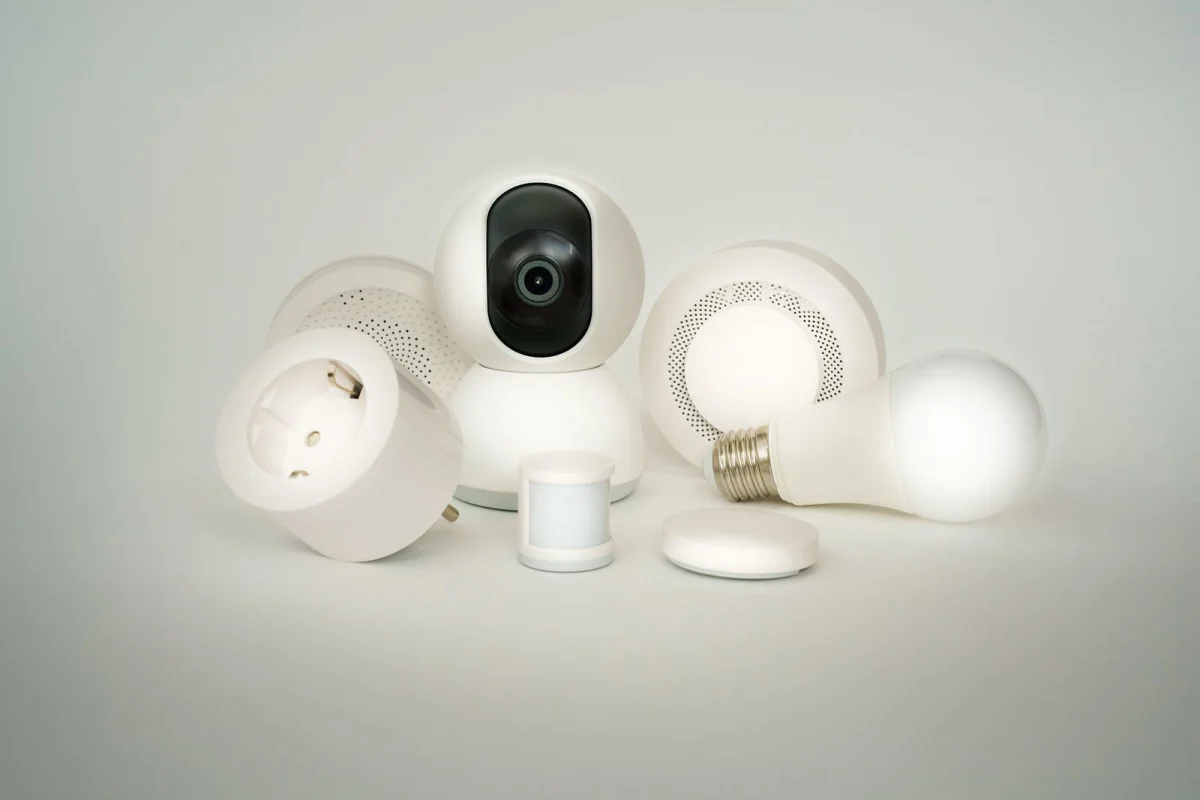
Table of contents
Your sister uses an iPhone and Apple Home. You run everything through Google. Your dad still talks to an Echo in the kitchen. This holiday you want to give all three of them smart plugs and bulbs, and every box on the shelf promises the same thing: a little Matter logo that says it works with all of them.
The Matter smart home standard was built to make that promise true. Sometimes it is. Sometimes a device pairs to one app and then vanishes from another, with no error message to explain why. This guide explains how Matter actually connects your gadgets, where it still breaks, and what to check before you buy, so the gift works on the first try.
How Matter Smart Home Devices Actually Talk to Each Other
Before Matter, every smart home company spoke its own language. A bulb built for Apple's HomeKit needed a separate bridge or app to work with Alexa. Matter, first published by the Connectivity Standards Alliance in October 2022 with backing from Apple, Google, Amazon and Samsung, replaced that with one common control language.
Here is the part most explainers skip. Matter is not a radio. As Home Assistant's documentation puts it, Matter is an application-level protocol that rides on networks you already have:
- Wi-Fi or Ethernet for devices that plug into the wall, like smart plugs, cameras and TVs.
- Thread for battery devices like door sensors and motion detectors. Thread is a low-power mesh, so each powered Thread device can relay signals for the others.
- Bluetooth only during setup. Your phone hands the device its network credentials over Bluetooth, then steps aside.
Because the commands travel over your home network, Matter devices can be controlled locally, without a round trip to a company's cloud. If your internet drops, a Matter light switch can still turn on the lamp. That also means a device keeps working longer if its maker loses interest, a real risk covered in our guide to what owners can do when smart home devices lose support.
Fabrics and Multi-Admin: How One Plug Joins Three Apps
The Connectivity Standards Alliance describes each smart home app's private network as a "fabric." Apple Home creates one fabric. Google Home creates another. Alexa creates a third. Matter's multi-admin feature lets a single device join several fabrics at once, each managed by its own app.
Home Assistant's documentation notes that the standard requires every Matter device to support at least five fabrics simultaneously. That is the number that makes mixed households possible.
Worked example: one plug, four apps
Say you set up a Matter smart plug in your living room for a family that uses three platforms plus a tinkerer's hub.
- Add it to Google Home first. Fabric slot 1 used, 4 left.
- Share it to Apple Home from the Google Home app's Matter settings. Slot 2 used, 3 left.
- Share it to Alexa the same way. Slot 3 used, 2 left.
- Add it to Home Assistant for advanced automations. Slot 4 used, 1 left.
One slot remains as headroom. But if a guest's phone or a second hub grabs that slot and you later factory reset the plug, every fabric gets wiped and you start over. Plan your fabrics before you pair, not after.
Where Matter Still Breaks
Matter's promise is strongest on paper. The gaps show up in real homes, and they cluster in three places.
1. Multi-admin is the weakest link
In March, Android Authority reported a wave of complaints about IKEA's new low-cost Matter devices dropping off networks, refusing commands, or failing to pair when added to a second app. The article blamed Matter itself rather than IKEA or Google, and pointed out that Matter offers no error codes, so you cannot tell which piece failed. Some setups needed IPv6 switched on in the router, a dedicated 2.4GHz Wi-Fi network, or firmware updates that weren't documented.
2. Thread range depends on your border routers
Thread devices reach the rest of your network through a border router, so where those routers sit matters. Home Assistant's guide recommends keeping a border router near your Thread devices. A sensible habit: pair each Thread device first with the platform whose border router is closest to it, then share it outward to your other apps.
3. Basic controls only
Matter covers the common ground. Home Assistant gives Philips Hue as an example: Matter delivers on, off, brightness and color, while Hue's own app adds dynamic scenes and entertainment syncing. Expect the basics through Matter and the extras through the maker's app.
What Matter 1.6 Fixes, and When You Get It
The Connectivity Standards Alliance released Matter 1.6 on June 17, and it targets exactly the pain points above. MacRumors and Privacy Guides both summarized the main changes:
- NFC setup. Hold your phone near a bulb or in-wall switch to set it up, even before it is installed and powered. No more hunting for a QR code hidden inside a light fixture.
- Joint Fabric. Several apps can co-manage one shared network, so devices added once appear in all of them. This goes straight at the Android plus iPhone household problem.
- Thermostat suggestions. Other apps can suggest a temperature change, but the thermostat decides whether to accept it. An automation can no longer override an energy-saving setting you chose.
For buyers, timing is the problem. A spec release doesn't update the plug in your cart. MacRumors noted that Apple has been slow to adopt new Matter versions and that Apple Home still lacks some Matter 1.4 features. Treat any new-version feature as a future bonus, not something you can use on day one.
A Buyer's Checklist Before You Wrap a Matter Gift
Run through these six checks in the store or on the product page.
- Find the Matter logo, not just "works with." Home Assistant warns that Thread devices don't always speak Matter. A Thread-only HomeKit device won't join Google Home.
- Check Wi-Fi or Thread. If it says "Matter over Thread," confirm the recipient owns a Thread border router. Many already do: Apple lists the HomePod mini and the Wi-Fi plus Ethernet Apple TV 4K (3rd generation or later), and Google lists the Nest Hub (2nd gen), Nest Hub Max and its new Google Home Speaker.
- iPhone households need a home hub. Apple's support page says you must set up a home hub, such as a HomePod or Apple TV, before you can add any Matter accessory to the Home app.
- Check the device type is supported by their app. Bulbs, plugs, switches and sensors are safe. Newer categories can lag on one platform.
- Keep the setup code. The QR code and numeric pairing code on the box or device are needed for re-pairing. Photograph them before wrapping.
- Check the router. A 2.4GHz band and IPv6 support cover most pairing failures. An older router may need a settings change. If they are already shopping for a new one, our guide to whether Wi-Fi 7 is worth upgrading to helps.
Security note: The Matter logo is about compatibility, not a security audit. The alliance's separate Product Security 1.1 spec, released alongside Matter 1.6, sets rules like unique passwords and automatic updates. Our explainer on why smart gifts don't carry the Cyber Trust Mark yet covers how to judge security separately.
Frequently Asked Questions
Does Matter work without internet?
Yes, for control inside your home. Matter commands travel over your local network, so lights and plugs keep responding during an internet outage. Remote access from outside the house and voice assistants that rely on the cloud may stop working.
Do I need a hub for Matter devices?
Wi-Fi Matter devices need only your router and a controller app, except in Apple Home, which requires a HomePod or Apple TV as a home hub. Thread devices need a Thread border router, which is built into many smart speakers and streaming boxes. Check whether you already own one before buying a hub.
Can a Matter device work with Alexa and Google Home at the same time?
Yes. Matter's multi-admin feature lets one device join several platforms, and Home Assistant's documentation says every device must support at least five. Pair to your main app first, then share it from that app's settings.
Why does my Matter device keep going offline?
Common causes are weak Thread coverage, a router with IPv6 turned off, or trouble after adding the device to a second app. Move a border router closer, check router settings, and update the device firmware.
Buy for the App They Already Use
Matter has made mixed smart homes far easier than they were a few years ago. One plug really can sit in Apple Home, Google Home and Alexa at once. But the standard still behaves best when you pick one main platform, pair there first, and share outward.
So before you buy, ask one question: which app does this person open every day? Match the gift to that, check for the logo and a border router, and keep the setup code. The rest of the Matter promise can arrive with the next update.
Written by
Nora Whitfield
Technology & Science
Covers technology and science for Quick Trend Insights, with a focus on what new AI tools, consumer hardware and space missions actually change for the people following them.
Related Articles
View all
Copilot+ PC: Does a Laptop NPU Matter Yet?
Is a Copilot+ PC worth paying extra for? See which Windows features need the 40 TOPS NPU, which run on any laptop, and which specs matter far more to you.
Cheap Windows 11 Keys: Is a $10 License Legit?
Cheap Windows 11 keys sell for $10 while Microsoft charges $199.99. See where those keys come from, why some get revoked, and when the gamble is worth it.

Wi-Fi 7 Router: Is Upgrading From Wi-Fi 6 Worth It?
Is a Wi-Fi 7 router worth it? Run a 10-minute speed test, learn why dual-band models miss the big gains, and see the math on upgrading from Wi-Fi 6 or Wi-Fi 5.