
Windows Security Updates Now Fix 1,000 Bugs a Month
Windows security updates now fix 1,000+ bugs a month, and an Outlook flaw is already exploited. See which versions lost support and how to stay patched cheaply.

Table of contents
Your laptop asked to restart on Tuesday night, and you hit "Remind me later" for the third time this week. It feels harmless. But the update you keep pushing back was not a small one: Windows security updates now fix more than 1,000 bugs a month, and one of the flaws in this batch is already being used in real attacks.
A year ago, Microsoft fixed around 100 security bugs in a typical month. In October it shipped more than 1,400. In November it shipped 1,093. Every month you delay now leaves ten times as many known holes open as it did last year, and some PCs quietly stopped receiving these fixes in October without telling their owners.
This guide explains why the patch count exploded, which Windows versions are still covered, what a skipped month actually costs you, and the three settings that keep a home PC safe with almost no effort.
Why Windows Security Updates Jumped From 100 to 1,000 Fixes
The numbers come from Krebs on Security's breakdown of the November Patch Tuesday. Microsoft fixed 1,093 vulnerabilities this month. Of those, 63 are rated critical, and nearly half of the critical ones allow remote code execution, meaning an attacker could run their own program on your machine.
Another 535 are privilege escalation bugs. Those let malware that already has a foothold, say from a bad download, promote itself from a normal user to full control of the PC.
So why ten times more? Microsoft credits advances in artificial intelligence for helping it find and fix the volume of bugs in recent months. We covered the attacker side of the same shift in how AI found the PHP2Shell bug faster than anyone could patch it.
The total adds up fast. Microsoft has shipped more than 5,100 security patches so far this year, according to the same report. Across every vendor, roughly 95,000 vulnerabilities have received an official CVE identifier this year.
Most of those bugs will never touch you
A huge patch count sounds terrifying, but it needs a second number next to it. Of those 95,000 flaws, only 217 have been added to the US government's list of vulnerabilities known to be exploited in real attacks.
That works out to about one in every 440 bugs, or 0.23%. The problem is that you cannot know in advance which one. The exploited bug often looks boring on paper, and the only defense that covers all of them is installing the whole update.
The Outlook Flaw Attackers Are Already Using
One November bug sits in that exploited group. It is tracked as CVE-2026-124194, a spoofing flaw in Outlook, and Microsoft confirmed it was under active attack when the fix came out. The advisory says it affects Microsoft 365 Apps and editions of Microsoft Office.
Spoofing means the attacker makes something look like it came from somewhere safe. In practice, these attacks usually start with a message or file crafted to make Outlook connect to a server the attacker controls, handing over login data in the process.
Here is the detail most home users miss. Outlook is patched through Office updates, which run on their own schedule. A PC can show "You're up to date" in Windows Update while Office still waits for its own fix. To check, open any Office app, go to File, then Account, then Update Options, and choose Update Now.
Your browser needs the same attention
Windows is not the only thing shipping record fix counts. Google's Chrome 157.0.8103.50 fixed nine security holes, including the sixth Chrome zero-day of the year, a bug attackers used before Google knew about it. A Chrome release on November 3 fixed 213 vulnerabilities on its own. Firefox 160 resolved almost 100.
Browsers update themselves, but only when they restart. If you keep 40 tabs open for weeks, the downloaded fix sits unused. Look for the update arrow or "Relaunch" prompt in the top corner and click it.
Which Windows Versions Still Get Security Updates
This is where many people are exposed without knowing it. Windows 11 is not one product with one support date. Each yearly version has its own expiry, and when it passes, that version stops getting fixes even though the PC keeps running normally.
Microsoft's lifecycle page for Windows 11 Home and Pro lists the dates:
- Version 24H2: support ended in October. No more security fixes.
- Version 25H2: supported until October 2027.
- Version 26H1: supported until March 2028.
- Version 26H2: supported until October 2028.
- Version 23H2 and older: already out of support.
To see your version, press the Windows key, type winver, and press Enter. A small window shows a line like "Version 25H2." If it says 24H2 or lower, open Settings, then Windows Update, and look for the offer to move to a newer version. The upgrade is free.
Windows 10 is a separate case
Windows 10 left mainstream support last year, but home users can still enroll in Extended Security Updates. According to Microsoft's Extended Security Updates page, there are three ways in:
- Sync your PC settings with a Microsoft account, at no cost.
- Redeem 1,000 Microsoft Rewards points.
- Pay a one-time $30 plus tax.
All three options deliver fixes until October 12, 2027. After that date, there is no consumer extension left. A Windows 10 PC that cannot run Windows 11 will need replacing or moving to another operating system within the next 11 months.
What a Skipped Month Really Costs: A Worked Example
Take a typical household with three computers. Each one is in a different state, and each needs a different fix.
PC one: Windows 11, version 25H2, updates paused. Windows lets you pause updates for up to five weeks. Suppose the owner paused in early October to avoid a restart during a work deadline and kept extending it.
Pausing across both Patch Tuesdays means skipping October's 1,400-plus fixes and November's 1,093. That is roughly 2,500 known holes left open on a PC that is fully supported. Cost to fix: one restart, about 15 minutes.
PC two: Windows 11, version 24H2, never upgraded. This one looks healthy. Windows Update may show nothing urgent. But it received no November security fixes at all, and it will receive none in December either. Cost to fix: a free version upgrade, usually under an hour including the restart.
PC three: an older Windows 10 desktop. If the owner never enrolled in Extended Security Updates, it has been missing fixes for months. Enrolling by syncing settings costs nothing. Paying instead costs $30 for coverage running to October 12, 2027.
That $30 spread over the 11 months left works out to about $2.73 a month. Compare that with a new laptop at several hundred dollars, and the cheap move is clear: enroll now, then plan the replacement for next year instead of rushing it.
Bottom line for this household: about two hours of total effort and at most $30 moves all three machines from exposed to fully patched.
Three Settings That Keep a Home PC Patched
You do not need to read a list of 1,093 bugs. You need the updates to arrive and to actually install. These three settings handle most of it.
1. Turn on "Get the latest updates as soon as they're available"
In Settings, then Windows Update, flip this toggle on. It makes Windows more likely to offer the next yearly version when your current one nears its end date.
2. Set active hours and stop pausing
Most people pause updates because a restart arrives at a bad time. Under Windows Update, Advanced options, set active hours to cover your working day. Windows then schedules restarts outside that window, so there is no reason left to pause.
3. Update Office and your browser on purpose once a month
Pick the second Wednesday of each month, the day after Patch Tuesday. Open an Office app and run Update Now, then relaunch your browser. It takes five minutes and closes the gap the Outlook flaw slipped through.
Patching handles flaws in software. The other half of home security is your accounts. Switching to passkeys instead of passwords means a stolen login hash or phished password is far less useful to an attacker.
Where Updates Will Not Reach
Your PC is not the only device on your network. Chris Goettl of Ivanti told Krebs that roughly four in ten of this year's exploited vulnerabilities sit in operating systems and endpoint software. Another 44% sit in edge devices, plus IT management and remote access tools.
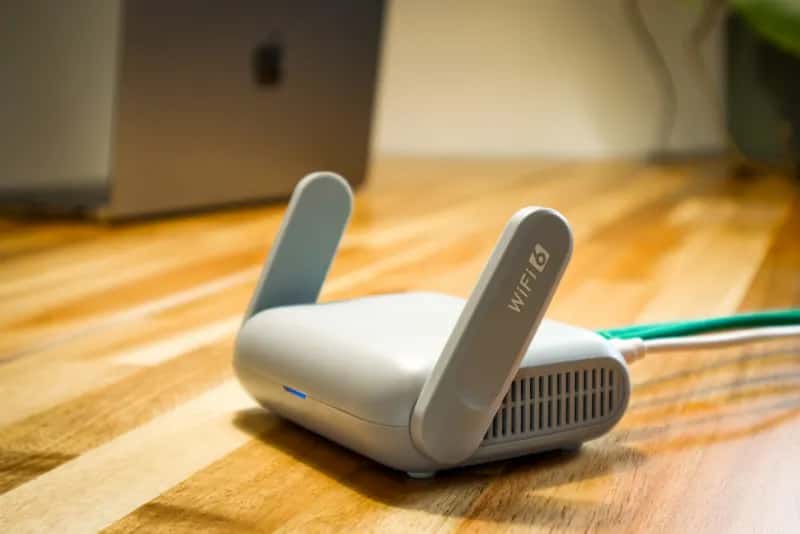
For a household, "edge device" mostly means your router. Unlike Windows, routers rarely update themselves, and some models never get a fix at all. Our look at the WPSplinter router flaw nobody plans to fix shows what happens when a maker stops supporting hardware that is still in millions of homes.
Log into your router's admin page once a quarter and check for firmware. If the last update is more than two years old, treat the router as unsupported and budget for a replacement.
Frequently Asked Questions
Is it safe to install Windows updates right away?
For home users, yes. Bad updates do happen, but they are rare and usually fixed within days. With more than 1,000 flaws patched each month and some already under attack, the risk of waiting is now larger than the risk of a buggy update.
How do I know if my Windows 11 version is still supported?
Press the Windows key, type winver, and press Enter. If the window shows version 25H2, 26H1 or 26H2, you are covered. Version 24H2 Home and Pro stopped getting security updates in October, so upgrade through Windows Update.
Does Windows Update also patch Microsoft Outlook?
Not always. Microsoft 365 and Office usually update through their own system. Open an Office app, go to File, then Account, then Update Options, and choose Update Now to make sure the November Outlook fix is installed.
Can I still get Windows 10 security updates for free?
Yes. Home users can enroll in Extended Security Updates at no cost by syncing PC settings to a Microsoft account, or by redeeming 1,000 Microsoft Rewards points. The paid option is $30. All three run until October 12, 2027.
Why are there so many Windows security updates now?
Microsoft says AI tools are helping it find far more bugs than before. Monthly fix counts went from about 100 a year ago to 1,093 in November, with October above 1,400.
Stay Patched Without Thinking About It
The jump from 100 fixes a month to more than 1,000 is not a sign that Windows suddenly got worse. It is a sign that bugs are being found faster, by defenders and attackers alike. The gap between a fix shipping and an attack using it keeps shrinking, and every pause button you press widens it again.
Tonight, run winver, check your Office updates, and relaunch your browser. Then set your active hours so the next restart happens while you sleep. The next Patch Tuesday lands in December, and the PC that installs it on day one is the one that never makes the headlines.
Written by
Nora Whitfield
Technology & AI
Covers the technology beat for Quick Trend Insights, with a focus on what new AI tools and consumer hardware actually change for the people using them.
Related Articles
View all
M6 MacBook Pro: Should You Upgrade From M1 or M2?
The M6 MacBook Pro starts at $1,999. See what changed from M5 and M1, what your trade-in is worth, and the cost per year of upgrading versus keeping your Mac.
WPSplinter: The Router Flaw Nobody Plans to Fix
The WPSplinter router flaw lets anyone in Wi-Fi range take over millions of Broadcom routers, with no patch coming. Here's how to check yours and what to do.

When an AI App Shuts Down, Who Gets Your Data?
When an AI app shuts down, your chat history becomes an asset in bankruptcy. See who can buy it, what the law actually protects, and the steps to take now.